
We’ve made it very easy for Dynamic Mapping Suite subscribers to cancel from within their account settings.
No tie-in period, no penalty fees, no catches.
Your full pass access to the Dynamic Mapping Suite will continue up until your current monthly or annual subscription expiry date.
IMPORTANT TO UNDERSTAND: your dynamic maps will expire when your subscription expires. If you have made dynamic maps that you want to update periodically, rather than rebuilding them from scratch each time, then you must keep your subscription active.
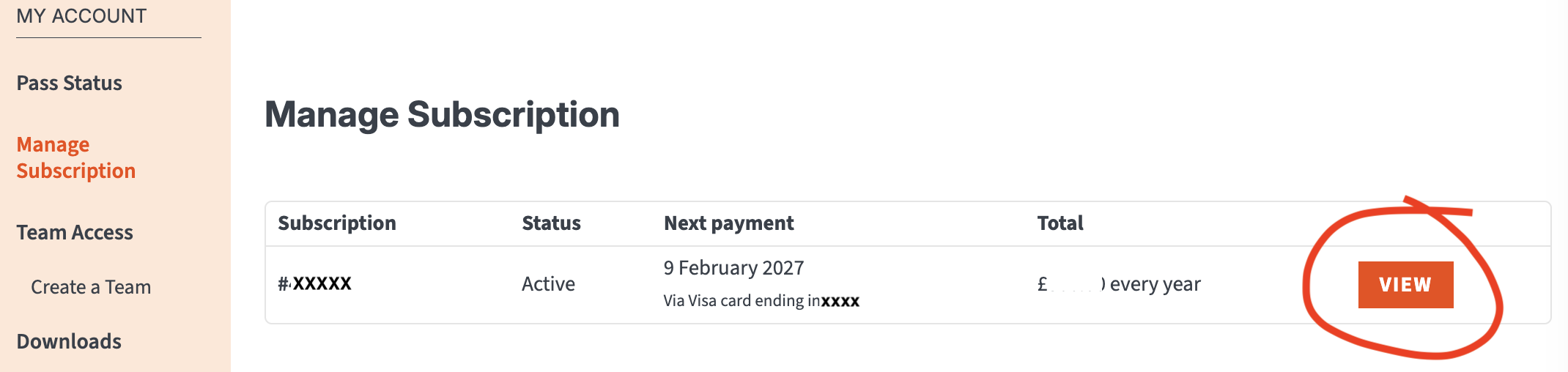
How to access your subscription settings
- Log in to your Account
- Go to Manage Subscription
- Click the View button
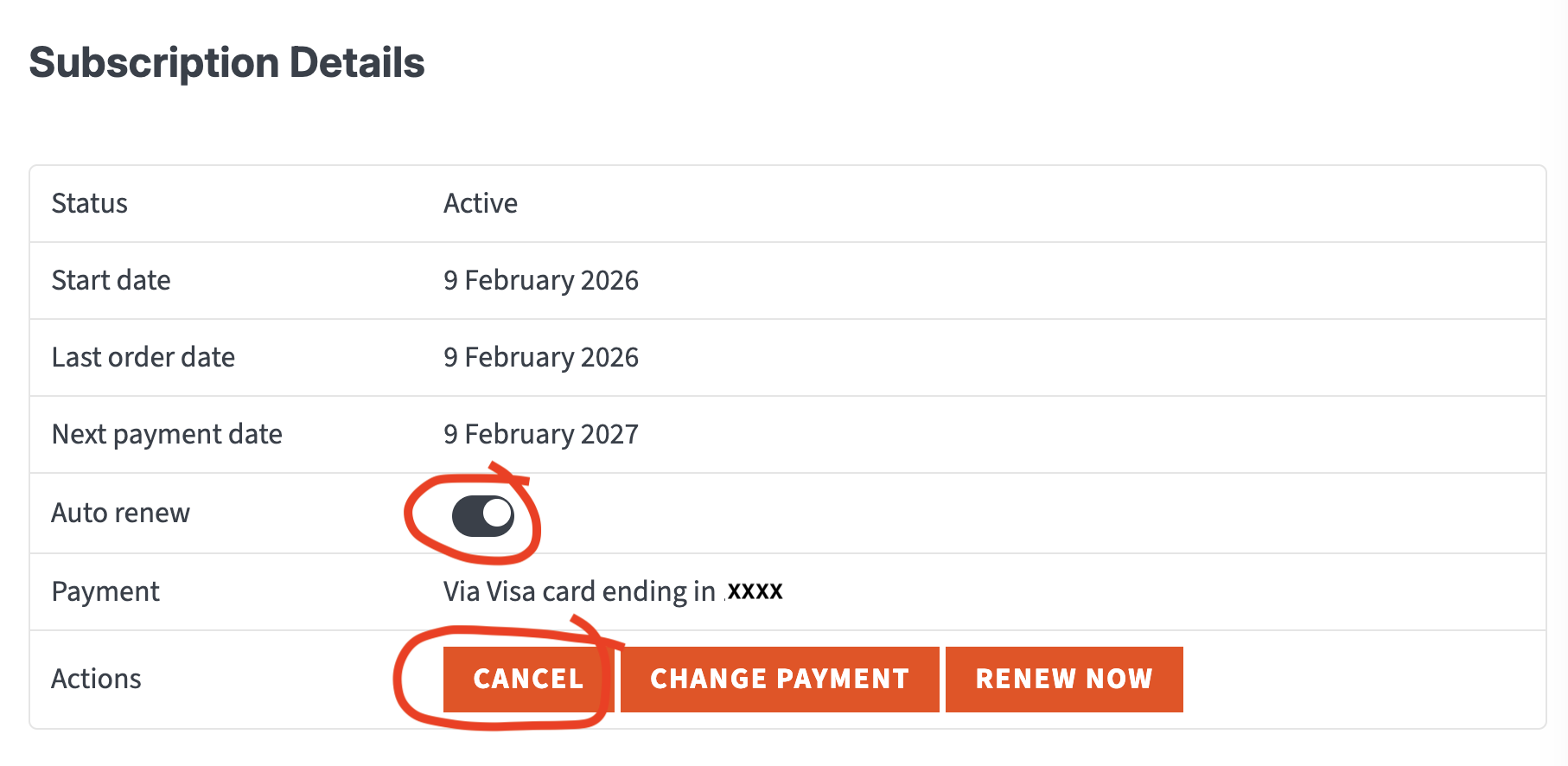
How to turn off auto-renew or cancel
- Turn off Auto-Renew if you want the option to renew manually
- Only click Cancel if you definitely want the subscription to end after the current subscription period.
Note: email reminders are sent a few days before auto-renewal / expiry.
IMPORTANT: If you are turning off Auto-Renew, please be aware that your maps will expire on the expiry date if you have not manually renewed by that date.
How to change subscription period
To change from monthly to annual or vice versa, click the Change Pass button then select the appropriate pass. The system will calculate a prorated rate covering the end of your current subscription into the new plan.

How to change payment method or update an expired card
To change your payment method, go to Payment Methods and enter your new card details.
If your card is expired at the time of subscription renewal, your account will be put on hold and you will receive a failed payment email. You will need to update your card details and renew your subscription promptly at this point to ensure that your maps are not permanently removed from the system.
Please contact [email protected] immediately if your maps have auto-expired because of an expired card.
Info for clients who pay via bank transfer or direct debit
The steps above apply only to subscribers who have purchased their Dynamic Mapping Suite pass via the Maproom website. If you pay annually with BACS on invoice receipt, or via direct debit then please email [email protected] to change your subscription.